
031 — A forgotten Quality
I thought AI was about bringing engineering and design closer together, but in the end it was a QA holding the keys to a self-improving tool.

Rambling 1. Intelligent automata
I get some raised eyebrows when I say out loud that no other AI use case has impressed me as much as its ability to automate work. But I also understand that scepticism. At the end of the day, the words “Artificial” and “Intelligence” feel like a match made in the zeitgeist to get our imagination going. It is not that surprising that when chatting for the first time to these sycophantic neural networks even those that have made a career as the brightest rational thinkers may end up believing in ghosts.
That has never clicked with me. Sorry. And I’ve had one of the hardest AI-one-eighties you probably know of. Yes, Intelligence is an intrinsically human quality. Because we are intelligent we can speak, think, imagine, build and shape the world around us. We do that to survive, but also at the risk of our own survival. Is the AI doing all that? Does it look like it is about to?
The intelligence bar is much lower—and not less impressive—. If you are on the fence of whether—or how much—to trust AI in your workflow, put all that Her-themed nostalgia to one side just for a second. This intelligence is mostly about the ability to make something intelligible. Or back to the anglo root, it is about making things understandable. By opening the door to LLMs interfacing with natural language, computers can now structure a lot of data that otherwise would have remained unstructured.
When we prompt our newest vibe-coded jewel, the LLM is making that unstructured language understandable for the structured instructions the machine needs. Turning the photos of my plants into a watering schedule, the same thing. Downloading the notes of the 1-1s with my direct report and matching them against the completed tickets to show proof of their great work, same again. I’ve even heard that you can orchestrate the publication of a weekly newsletter.
Smart enough to make machines understand us better, but an automation factory nonetheless.
Option 1. Paul Rand
If you have ever taken a Design course—or if you ever take one—I’m willing to bet that it opened with a conversation on the difference between art and design just so you or one of your classmates can land on the idea of utility or functionality. Form follows function, remember? A designer is not an artist so they have to, basically, disappear. The solution is inevitable, the result of an engineering-like process.
It won’t be long—if you keep up with it—before you hear about Paul Rand, designer of iconic and timeless logos like IBM, ABC or UPS. You could lose yourself for a whole afternoon in this digital archive—indeed, why are you still here? Go, it will be much better—, and if you do, make sure you don’t miss his unused proposal for a Ford logo.
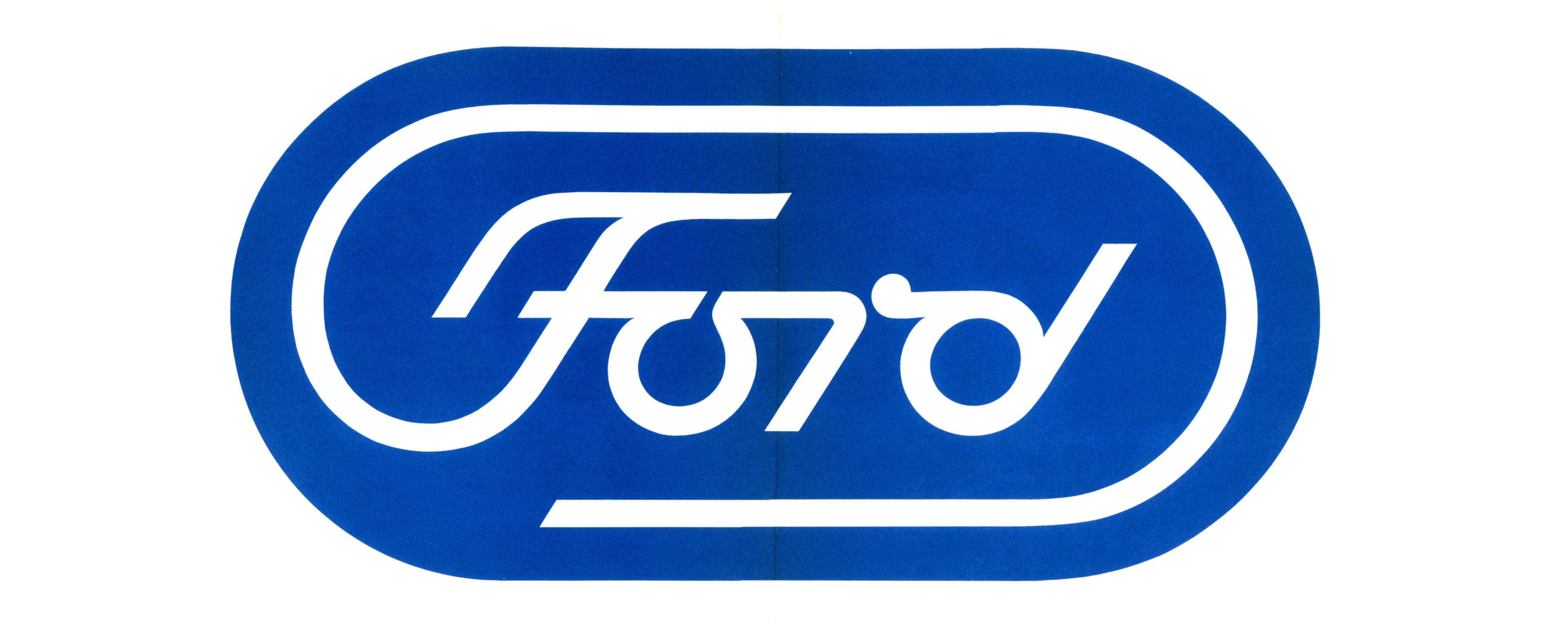
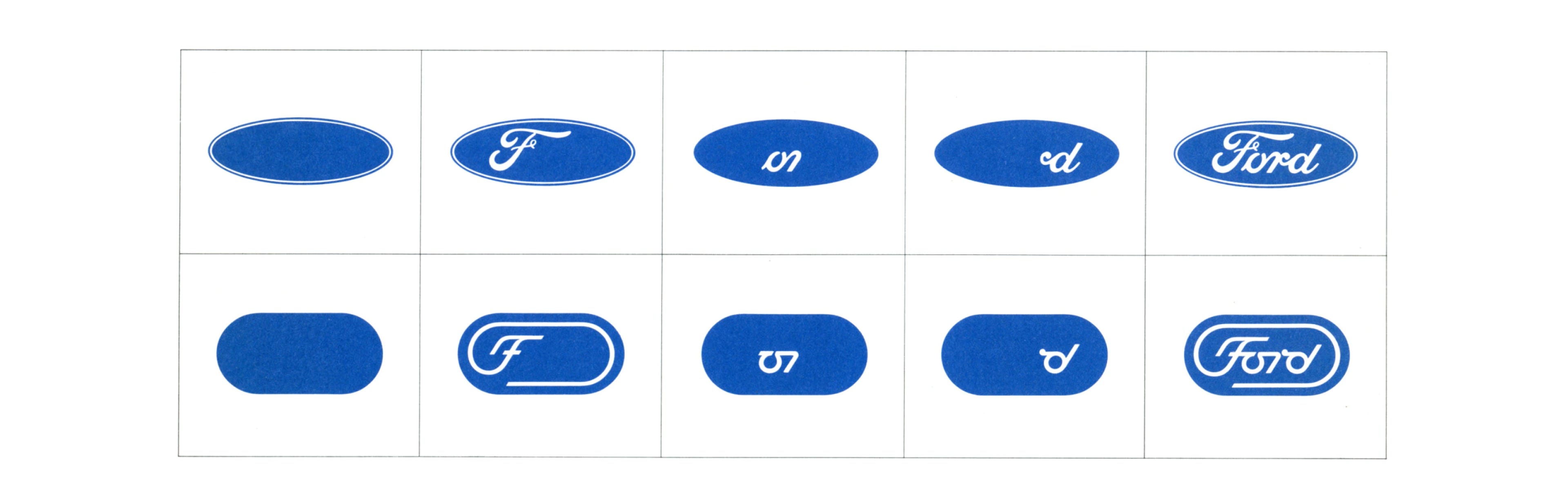
That logo should make us grateful for both that we got to see Paul Rand’s take on the blue oval, and that Ford decided to keep it in a drawer, saving it from becoming a failure. A living example of the famous exchange that Steve Jobs had when he asked Rand to design the logo for NeXT:
—I guess you’ll give me some options.
—You have a problem, I’m going to give you a solution, and you are going to pay me for it. Whether you want to use it or keep it in a drawer is your decision. Go ask other people if you want options.
How is that for listening to your own voice?
A logo that finds its best use in not being used. An archive that, despite that, shares and celebrates a losing proposal. We could spend many classes debating art or design just on that one, but we would be missing the point because we would be missing Paul Rand.
Share 1. Vibe-testing
In just a couple of weeks, at Viooh, we’ve gone from stumbling through our first DESIGN.md to a system that can improve itself. As a quick reminder, DESIGN.md is a Google standard that is meant to contain the whole visual specification of our website or app. With a good file, you can just vibe-code away and rest assured, 80% of the work will be done in terms of consistency. Sounds very technical, but in the whole natural language weirdness it is a long piece of text in which you are supposed to describe to the LLM how to design like you. But how can you be sure that what you are writing is enough?
AI couldn’t stop at having lots of us thinking like engineers. Now we can pretend to be QA testers too. Here is the recipe:
Start by drafting a first pass of your DESIGN.md. If you don’t know where to start give Claude some context—either your existing code or the designs you mocked up in Figma—and let it generate one for you.
Give it a target. Your landing page, for example. On one hand take a screenshot, and on the other tell Claude to write a spec of that same page, based directly on its code, completely devoid of any visual detail.
Run a new agent in a clean room. A space where it has no access to all that context. And give it only those two files: the spec and DESIGN.md; and let it try its best.
Once it’s finished, have the agent compare the result against the screenshot. It will be able to analyse the divergence, and write a report with all the recommended fixes to DESIGN.md to improve the resemblance.
Each one of those fixes can go in your issue tracker. Each one becomes the next prompt. The new version of DESIGN.md goes through the same cycle again. You could probably even automate to run this loop until Claude runs out of issues (or you run out of credits).
It is mesmerizing to see this thing improve itself. You’ll also end up with a fantastic tool to make the design team less of a blocker to your PMs. Lot’s of virtual hand-waving, I know, but at least you can prompt this recipe into your LLM and tell it to write the skill ‘/benchmark’ for ease of use.
Let me know how it works.